


AleBoost
FPS overlay, game ping and reversible Windows tuning for every game
Whatever you play: FPS, 1% low, CPU, GPU and the ping of the game's own connection in the corner. Turns on Windows' gaming settings in one click, backs up every change and reverts it in one click. Never injects into games or touches game files.
- Version
- 1.0.3
- Size
- 10.3 MB
- Released
- 18.10.2026
- Ed25519 signed
- Updates itself
- No admin needed to install
- Windows 10 / 11 · 64-bit
a5ab708e7efc4b3a964fce20f7baa02c5a65c88047fcb248452cf371d37e81b4
On top of your game, never in the way.
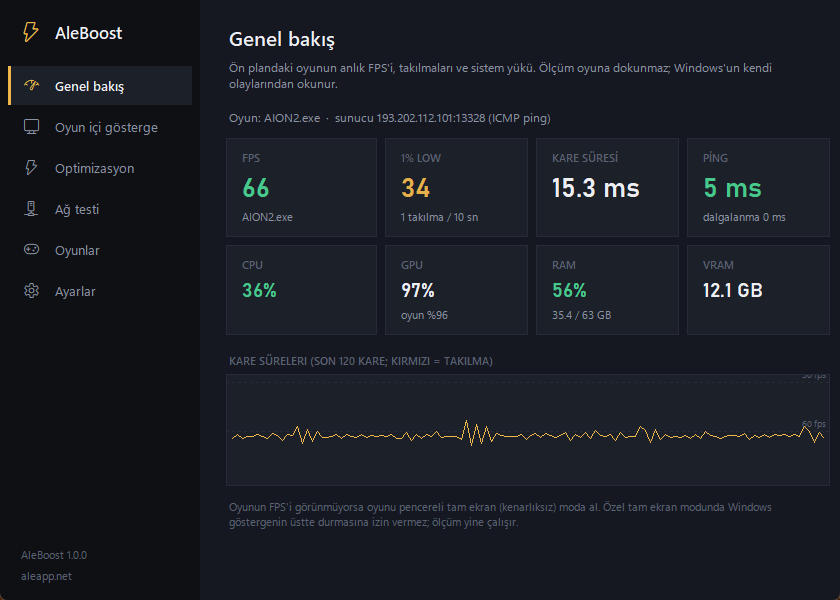
Overview
FPS, 1% low, stutters, CPU, GPU and game ping.
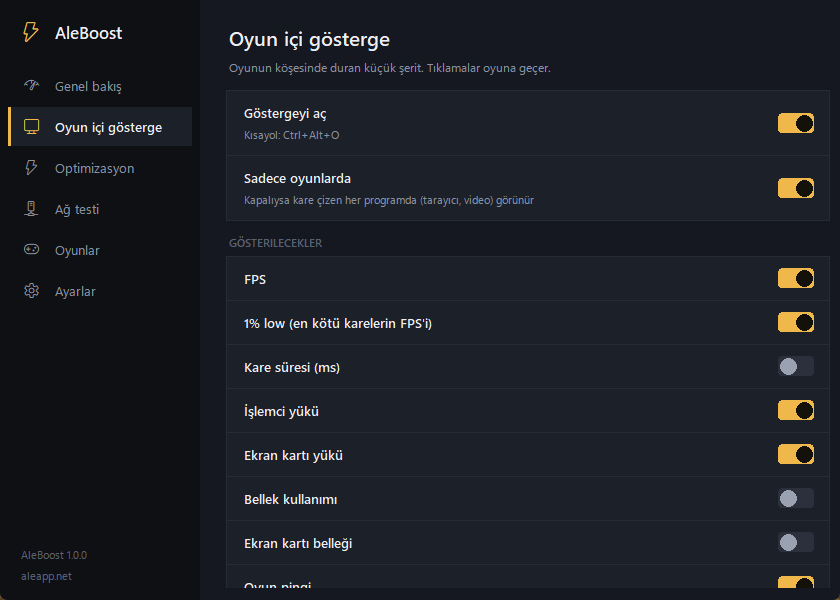
In-game overlay
Choose what shows in the corner, its size and opacity.
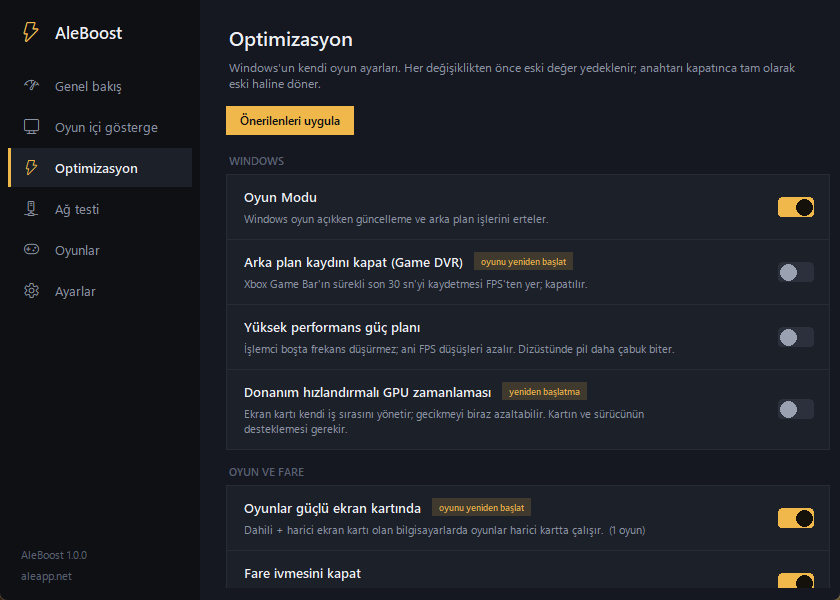
Optimization
Windows' gaming settings; each backed up, one-click revert.
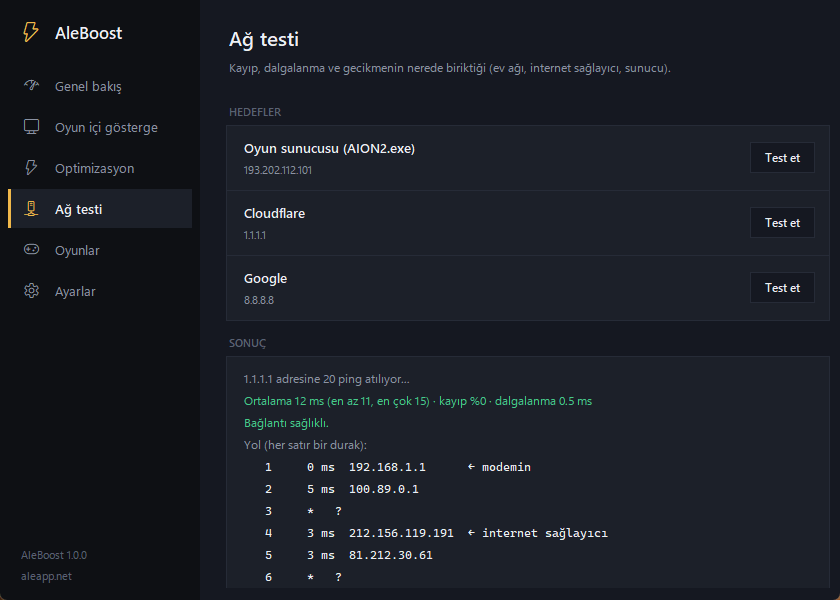
Network test
Is the loss and delay at home, your ISP or the server?

Everything you want to know about a fight.
Everything the program does, in one list.
Measurements
- Live FPS, 1% low and frame time (ms)
- Graph of the last 120 frames; stutters marked in red
- CPU, GPU (total and the game's share), RAM and video memory
- Games are detected automatically: fullscreen programs drawing frames
- Per-game play time, average FPS and last session summary
In-game overlay
- FPS, 1% low, frame time, CPU, GPU, RAM, VRAM and ping: pick what you want
- Any corner, size and opacity, background-free mode
- Coloured values: good green, borderline yellow, bad red
- Toggle with a hotkey (default Ctrl+Alt+O)
Optimization
- Game Mode and turning off background recording (Game DVR)
- High performance power plan (copied from Windows' own scheme if hidden)
- Games on the powerful GPU; hardware-accelerated GPU scheduling
- Mouse acceleration off
- TCP quick ACK and network throttling off
- One-click 'Apply recommended' and 'Revert all'
- DNS cache flush and temp file cleanup
Network
- The game server is found automatically (from the game's connection)
- Ping, jitter and retransmitted packets
- 20-ping test and route: router, ISP, server
Safety
- Signed updates; never installed without a valid signature
- Silent auto-update while you're not gaming
- Start with Windows (Task Scheduler; no prompt at every boot)
What it does
- Reads Windows frame events (Intel PresentMon, open source)
- Changes only Windows' own gaming settings, backing them up first
- Restores every setting it changed when uninstalled
- Sends an anonymous error report if something breaks (can be turned off)
What it never does
- Never injects into games or reads their memory or files
- Installs no drivers, no harmful 'RAM cleaner' tricks
- No ads, no tracking, no personal data collection
Changelog
Updates now install in the background without any window.
Fix: a leftover measuring session from another program blocked FPS; it is now cleaned up.
Fix: FPS measurement didn't start after the app was force-closed. The measuring tool now closes with the app and restarts itself if it stops.